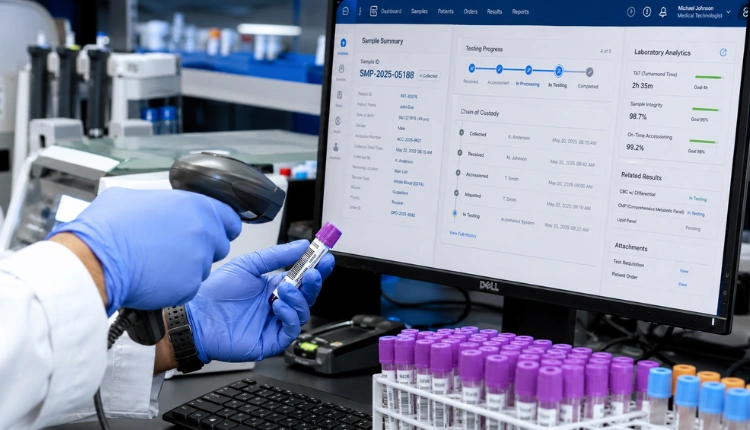
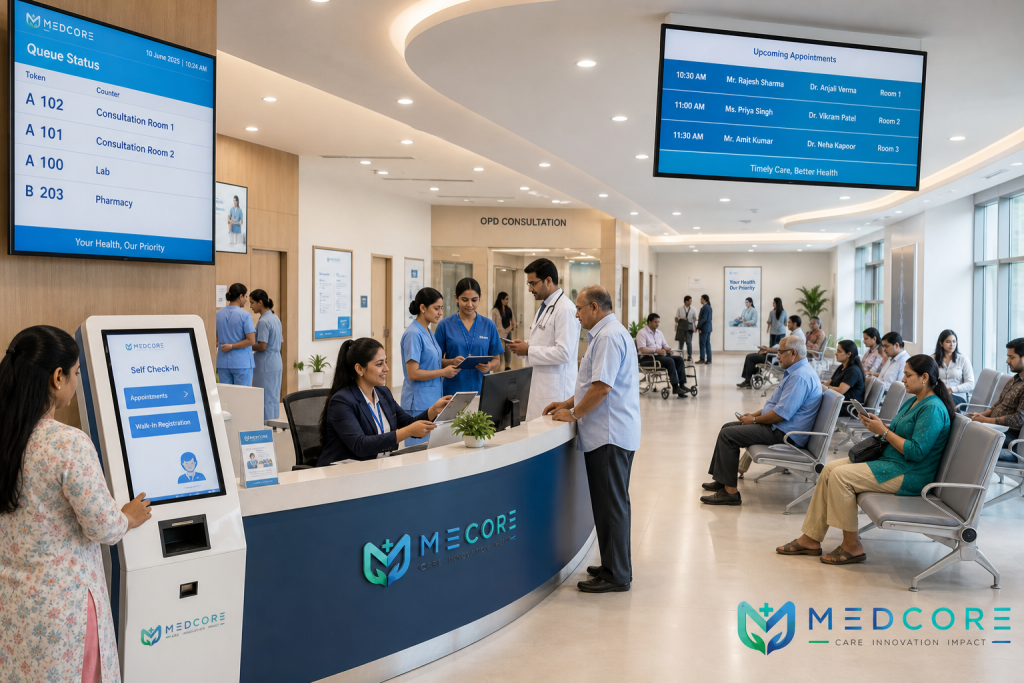
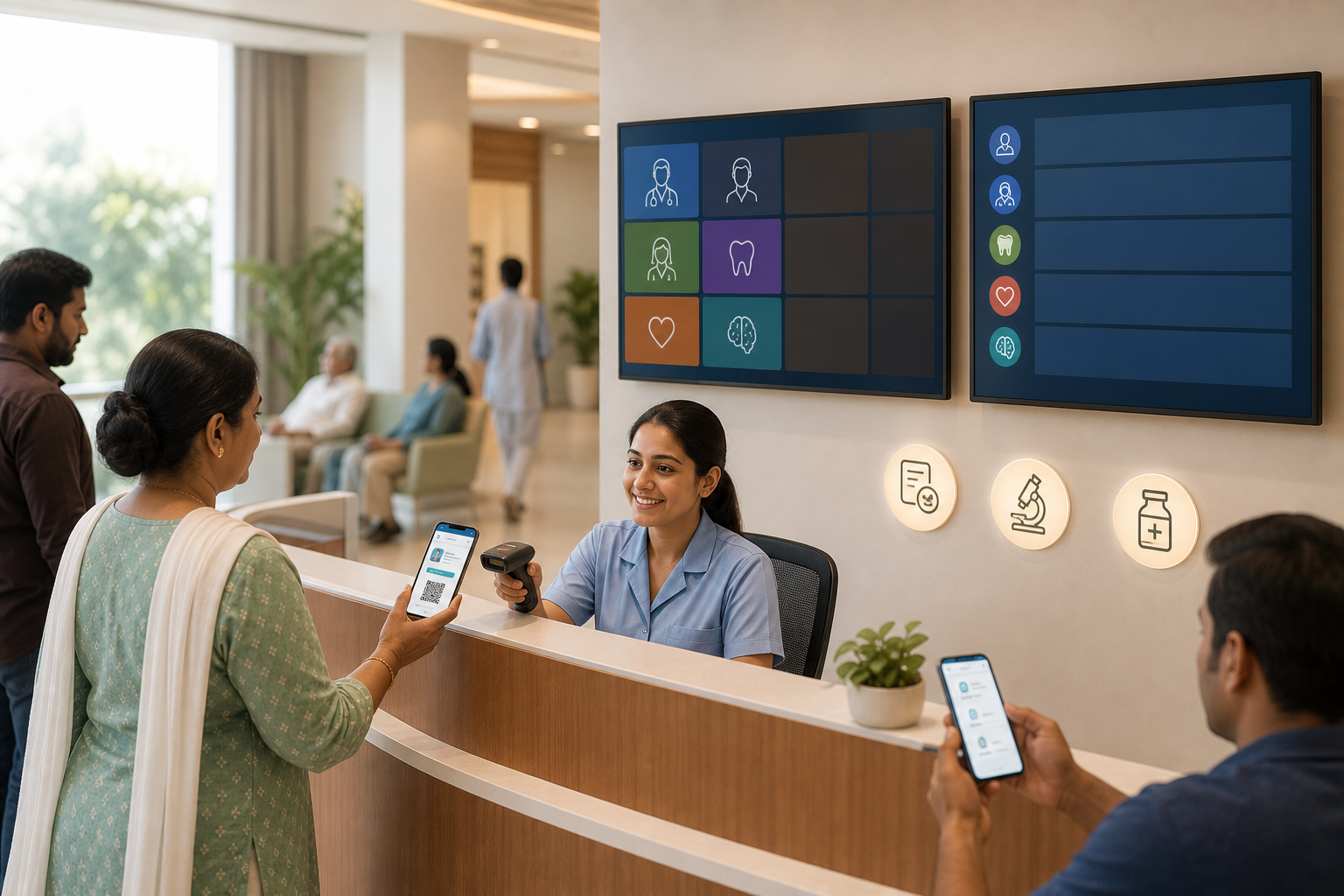
Book a demo today → to see opd queue management and appointment scheduling in action across reception, doctors, billing, lab, and pharmacy, featuring a TV token display with bold token numbers, a receptionist marking ABHA IDs, and patients checking the live queue on a phone app; bright, clean, educational infographic style.
In 2026, mid-size hospitals that master opd queue management and appointment scheduling consistently cut wait times, boost revenue, and reduce staff stress. If you’re starting to modernize your OPD, the fastest wins come from aligning process and tools so your team runs one shared, real-time queue state across reception, doctors, billing, lab, and pharmacy. This alignment also improves patient communication, because everyone, from the front desk to pharmacy, can see where a patient is in the journey and act without re-asking for information.
Why OPD Queue Chaos Costs Mid-Size Hospitals More Than Wait Time
A 120-bed hospital that sees 150+ OPD patients per day looks “busy” from the outside. Inside, the hidden costs stack up fast. The single registration counter becomes a choke point, and paper tokens fall apart during the 9–11 a. m. wave.
Doctors start late because the handoff from reception to consultation isn’t clear. Billing queues rebuild at noon because the system doesn’t know who’s already in the OPD.
Moreover, the work has shifted. Your patient mix now blends walk-ins with pre-booked slots from your website and WhatsApp. Yet 80% of facilities still run on fragmented workflows. That means data re-entry at each counter, missed follow-ups because phone numbers weren’t verified at registration, and no-show oversights that leave doctors idle in one room while the corridor is packed for another.
Specifically, chaos here costs more than minutes:
- Missed follow-ups: no reminder trail, no return visit.
- Revenue leakage: gaps from no-shows and rework at billing.
- Staff burnout: reception handles registration, queries, and bill disputes at once.
- Patient satisfaction dips: long, unclear waits and repeat queues for lab and pharmacy.
On the other hand, the market reality is stark. 75% of the market is underserved by existing tech. You likely don’t have a dedicated IT team, and you can’t afford a year-long rollout. Therefore, the fix must be both process-first and tool-light, parallel queues, live tokens that auto-advance, and shared state so pharmacy and lab know a patient is on-site. Aim for simplicity you can train in hours, not in months of workshops, because sustained adoption matters more than fancy screens.
Make it real for a 120-bed hospital
Picture this: two screens on the lobby wall show tokens by department. Walk-ins and online appointments feed separate lanes but converge at the doctor in a predictable order. Billing, lab, and pharmacy view the same queue state, so patients don’t restart. The front desk breathes. Patients stop crowding the counter to “check status.
To make it even more practical, print a one-page “Your Visit Today” sheet with QR codes for the patient app, a diagram of the lanes, and short notes like “You’ll receive an ETA message before your turn.” This reduces repeated questions and calms the waiting room, especially during peak hours.
If your lobby is compact, create a simple “flow spine”: clear entry arrows, a small “info” stand for general questions, and two floor-marked paths merging near the consultation rooms. Use high-contrast, bilingual signage at eye level, place a greeter during peaks to nudge patients to the right lane, and add a small seating cluster for elderly or pregnant patients near the fast-track area. A single visible “Now Serving” board per department prevents micro-crowds forming near each door, while soft audio chimes help patients who aren’t watching the screens.
Tip: For a deeper OPD primer on breaking single-counter bottlenecks, see this background note: read the OPD explainer (internal training PDF or SOP page).
Early indicators you’re fixing the right problems
- Counter crowding drops within the first week because patients can see status on TVs and phones.
- Doctors begin on-time sessions more consistently as handoffs are defined and enforced.
- Billing peaks flatten because downstream teams see “patient on-site” and pre-stage work.
- Patient complaints shift from “no one told me my turn” to “thanks for the ETA message.
- Registration error rates fall as ABHA, phone, and demographic verification moves into check-in.
- Staff handoffs feel quieter: fewer loud calls for “next patient” as tokens and ETAs do the talking.
Key weekly metrics to monitor and share on a wallboard:
-
Average registration wait time and 90th percentile wait time by hour. – No-show rate by department and time window, with a brief note on any spikes. – Ratio of walk-ins to pre-booked visits per doctor session, and conversion of walk-ins to future appointments.
-
Percentage of patients receiving and reading ETA notifications (delivery/read rate). – Billing re-queue rate and “first-time resolution” at billing. – Patient satisfaction pulse (1–5) collected via a one-tap link on WhatsApp or SMS.
Also Read!
How to Choose an AI Clinical Documentation EHR for Your Small Clinic in India
Best OPD Queue Management & Appointment Scheduling for Mid-Size Hospitals in 2026
7-Step Framework to Build an Effective OPD Queue and Scheduling System
You don’t need to overhaul everything at once. Start with these seven steps and add one each week. This sequence respects real constraints in mid-size hospitals.
Step 1: Audit your current flow
Map the patient journey: entry → registration → waiting → consultation → billing → lab/pharmacy → exit. Time each handoff in one morning shift. Identify your top three bottlenecks: registration delays, unclear doctor handoff, and billing re-queue. Add a simple dashboard on a whiteboard with three numbers updated hourly: “Average wait at registration,” “Patients seen per hour per doctor,” and “% patients repeating data at billing.” Visibility drives action.
In practice for a 100–200 bed hospital: one ops lead shadows from 9–11 a. m. with a stopwatch and a clipboard, then posts a one-page flow map by noon.
If possible, film a 30-second walkthrough of the waiting room to capture crowd flow and signage oversights. Add quick heat maps by marking floor tape where micro-crowds form and note sightline issues where patients can’t easily see the token board. If you already have CCTV, time-stamp a few patient journeys (de-identified) to quantify dwell time at each stage.
Key decisions to capture during the audit:
-
Who controls token advancement and under what rules (e. , doctor ready, nurse triage complete)? – What data gets re-entered downstream that could be shared (ABHA, demographics, visit reason)?
-
Where patients physically cluster and why (unclear signage, missing ETAs, fear of losing turn)? – What “exceptions” recur (emergencies, VIPs, elderly), and how often staff break the line to handle them? – What dependencies slow the flow (printer jams, payment terminal issues, room cleaning delays), and which ones can be decoupled?
Pro tip: Take a photo of every sign currently in the OPD, then lay them out on a single page. If the page looks cluttered, your patients are seeing visual noise too. Consolidate, simplify language, and eliminate contradictions.
Step 2: Separate walk-in and pre-booked streams
Create two parallel queues into the same OPD. Pre-booked patients check in fast, while walk-ins get dynamic tokens. Both streams meet the doctor in a clear order that your team controls.
In practice: place two barcode/QR check-in points at the entrance desk and mark floors with color tape, green for online, blue for walk-ins, so patients self-sort before the counter. If you have a small lobby, add rope guides or floor arrows to prevent backflow around the counters.
Implementation tips:
-
Hold back a “buffer band” of tokens for priority cases and emergencies so staff don’t break rules under pressure. – Display lane names on TVs (“Pre-booked,” “Walk-in,” “Fast-track”) to set expectations. – Train reception on how to convert a walk-in to an appointment for future visits while they wait. – Publish a daily “capacity snapshot” on your website/WhatsApp so patients can choose quieter hours.
-
Define merge logic explicitly: e. , “2 pre-booked, 1 walk-in” pattern during peak, then 1:1 once volumes stabilize. – Color-code paper guides and digital screens consistently; mismatch between tape and TV labels creates confusion.
Governance note: Even with separate streams, maintain one source of truth for the “next-up” list per doctor so that clinical staff never need to guess which patient is expected next.
Step 3: Add a real-time token display
Use TV-mounted token boards and a patient app to show live position. Send SMS/WhatsApp ETA updates so patients can step out for tea and still return on time.
In practice: a low-cost Android box feeds your TV; staff advance tokens on a desktop; patients see their live place in the mobile app and get a ping 2 tokens before turn.
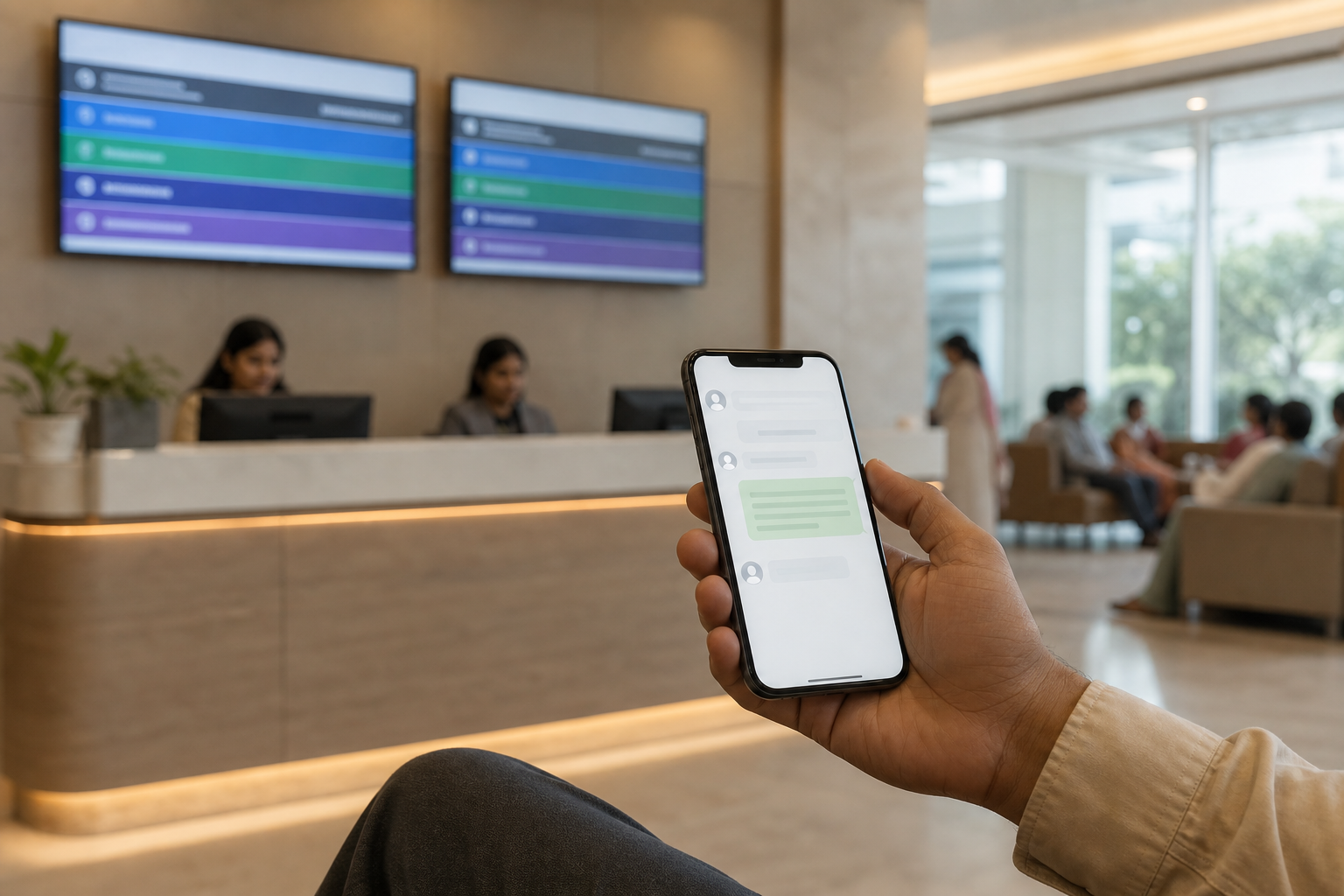
Make the display useful, not decorative:
- Always show current token, next three tokens, and lane labels.
- Include simple icons for “on the way,” “with doctor,” and “at billing.
- Run multilingual captions (“You will receive a message 2 tokens before your turn”) to reduce counter queries.
- Rotate gentle instructions every few minutes: “Have your ABHA/ID ready,” “Keep left for Walk-ins,” “Use QR to check in if pre-booked.
- Add contrast-aware themes for glare-heavy lobbies and a high-visibility mode for elderly patients.
- Provide a subtle audio chime and optional voice call-out of token numbers during peak hours to help patients who aren’t watching the screen.
Accessibility checklist: Ensure font sizes are legible from 5–7 meters, avoid red/green-only cues for color-blind users, and place at least one screen at seated eye level. Consider a small “Now Serving” repeater near each consultation cluster to reduce corridor crowding.
Step 4: Add vulnerability flagging
Flag elderly patients, pregnant women, people with disabilities, and emergencies for priority routing that doesn’t break the line. Vulnerability flagging simply means the system tags the case for fast-track handling when needed.
In practice: reception selects a visible priority tag at registration; the token jumps to a “fast-track” sub-lane, and the doctor sees the tag on their screen before the patient enters.
Execution checklist:
-
Define criteria and examples so staff apply flags consistently. – Log every priority bump for later review and training. – Place signage that explains priority rules to prevent disputes at the counter.
-
Add a “silent mode” mechanism for sensitive cases (e. , domestic violence) where staff can flag discreetly. – Provide a small seating zone close to the exam rooms for flagged patients to minimize movement and delays.
Training note: Run a 15-minute weekly huddle to review two anonymized cases, one where fast-track worked well and one where it didn’t. Use this to fine-tune criteria and reduce subjective decisions at the counter.
Step 5: Set up multi-channel appointment booking
Offer booking by phone, website, app, and WhatsApp. Keep one calendar as the source of truth, with walk-in slots held back in each session.
In practice: publish blocks (e. g., 60% for walk-ins, 40% for online) for each doctor; display next free slot times on your site and WhatsApp auto-replies in Hindi and English. For groups with multiple OPD locations, show site-specific availability to avoid accidental cross-bookings.
Operational guardrails:
- Confirm phone numbers and ABHA/ID at booking to reduce rework at registration.
- Limit reschedules within 2 hours of slot time to protect session flow.
- Expose “walk-in friendly” windows publicly so patients choose wisely.
- Provide a “standby” option for patients willing to take released slots; notify them automatically when a seat opens.
- Enable family booking flows that link dependents to a single primary number while keeping separate records.
Load balancing tip: If one specialist chronically overbooks, create “smart overflow” rules that suggest the nearest available clinician with similar scope, display expected wait deltas (“15 minutes sooner with Dr. X at OPD-2”), and let patients choose. Document these rules so coordination is transparent to staff.
Step 6: Automate reminders and add no-show prediction
Send WhatsApp/SMS reminders 24 hours before with ABHA/ID confirmation. No-show prediction means the system learns which time slots or patient cohorts are more likely to skip and suggests smart overbooking. It’s a simple idea: use past data to reduce empty chairs.
In practice: DLT-registered reminder templates go out daily; a predictions agent assigns a no-show score to each booking and suggests one extra walk-in in the 11–12 window for Medicine; pharmacy sees a forecast for likely dispenses by 2 p. m.
How to start with prediction in week 1:
-
Track basic features: day of week, time of day, visit type (new/follow-up), prior no-show count. – Begin with rules-based overbooking (e. , add 1 extra slot in the highest-risk hour).
-
Review weekly: measure overbooked vs attended to fine-tune thresholds. – Gradually introduce patient-level nudges: “Reply 1 to confirm, 2 to reschedule,” and prioritize confirmations in the queue merge. – Use language-aware templates; confirmations in a patient’s preferred language lift response rates and reduce ambiguity.
Privacy and consent: Link your reminder flows to consent records, allow opt-outs per channel, and rotate short compliance messages quarterly (“You are receiving this message because you consented at registration”). Keep messages informative, not promotional, to maintain trust and DLT compliance.
Step 7: Connect the queue to downstream systems
Make billing, lab, and pharmacy aware that a patient is on-site before they arrive. Share visit state so no one asks for details twice. Link ABHA IDs and follow ABDM data flows for clean health records. In practice: once reception checks in a patient, billing pre-fetches prior balances, lab preps tubes after the consult order, and pharmacy stages common meds. For policy context, see the government’s ABDM initiative at https://abdm.gov.in.
Integration touchpoints to prioritize:
- Billing: auto-calculate outstanding balances and send UPI links on discharge.
- Lab: push e-orders from doctor to lab bench; notify patient when sample is scheduled.
- Pharmacy: reserve high-probability meds based on specialty and diagnosis keywords.
- Reporting: unify OPD metrics (wait times, throughput, no-show rate) with billing collection rates to see end-to-end performance.
- EMR: ensure visit summaries, prescriptions, and reports are tied to the same encounter ID visible to all counters.
Interoperability note: Prefer standards-based formats (where supported) and maintain a simple “down for maintenance” message on the token TVs to signal patients if any module is temporarily offline. Build a daily reconciliation to ensure all completed consults have corresponding billing and pharmacy events.
What this looks like in practice (rolled up)
- Registration: 2 lanes, QR self-check-in for pre-booked, quick data capture for walk-ins.
- Waiting: TV token boards, patient app, SMS ETAs, priority tags visible.
- Consultation: doctor sees live next-up list with vulnerability flagging.
- Exit: billing/lab/pharmacy read the same visit status; UPI payment links fire from billing on discharge.
As you complete steps 1–3, mention your progress in your OPD signage and IVR. For staff buy-in, start with one high-volume department (Medicine or Ortho), then extend the pattern. Consider a weekly 10-minute “queue standup” at 8:45 a. m. to review what changed, what broke, and what to fix before doors open.
Change management playbook:
- Publish one-page SOPs at each station with screenshots of the exact screens staff will use.
- Nominate a floor manager for the first two weeks to handle exceptions and keep a log of rule tweaks.
- Create a WhatsApp group for rapid feedback from counters during the first week; summarize and update SOPs daily.
- Celebrate early wins publicly (e. g., “Registration wait time down from 18 to 9 minutes”) to reinforce adoption.
For a how-to recap you can hand to the morning team, bookmark this OPD walkthrough: share this OPD guide with staff.
Also Read!
How to Choose an AI Clinical Documentation EHR for Mid-Size Hospitals
MedCore vs Practo for Mid-Size Hospitals: Which Is Better for AI Clinical Documentation EHR?
5 Mistakes Mid-Size Hospitals Make with OPD Queue Management
Even good teams slip on these points. Fixing them will lift your opd queue management and appointment scheduling efforts without a big spend.
Mistake 1: Digitising the token counter without changing the process
Swapping paper for a screen is not a fix if patients still crowd one counter and doctors get patients out of order. The process must change first.
How to avoid: map the flow, split queues, and define who advances tokens and when. Write the rules on one page and train to it. Add a simple escalation path: if a doctor requests out-of-turn, who approves and who logs the exception?
Mistake 2: Ignoring the walk-in majority
In many mid-size Indian hospitals, 60–70% of footfall is walk-in. If your system treats only pre-booked patients well, you create two chaos streams.
How to avoid: reserve walk-in slots per doctor session and auto-merge lanes at the door. Publish “walk-in friendly” hours on your IVR and signage. Track “walk-in conversion to future appointment” as a KPI to see your pipeline improve.
Mistake 3: Choosing per-user or per-bed pricing
Per-user or per-bed plans grow as you add counters, new departments, or contract doctors. Costs then spike mid-year.
How to avoid: pick flat per-month pricing so finance can plan. Add counters and staff without a surprise bill.
Quick win: Ask vendors to quote a single tenant-scoped price that covers reception, doctors, billing, lab, and pharmacy users with no per-user add-ons.
Mistake 4: Not connecting OPD queue to billing and pharmacy
If downstream teams don’t share state, the patient waits again and staff re-enter data. That’s preventable.
How to avoid: choose a single tenant-scoped EHR with shared state across billing, lab, and pharmacy. Turn on UPI links in billing so payments clear fast. Add itemized, digital OPD summaries to reduce disputes and speed medicine pick-up.
Mistake 5: Skipping multilingual support
Tier 2/3 reception desks hear 3–4 languages a shift. English-only kiosks create slow lines and errors.
How to avoid: enable AI-driven triage in 8 Indian languages for symptom capture and use bilingual signage for check-in and tokens. When patients receive ETAs and instructions in their preferred language, they move confidently and ask fewer questions at the counter.
Bonus mistake: Failing to document exceptions
Out-of-turn requests, mid-session room changes, or sudden closures happen. If they aren’t logged with quick reason codes, patterns are invisible and resentment grows. Keep a lightweight exception log and review it weekly; many “one-off” disruptions are actually recurring and solvable with clearer rules.
Security note: In 2026, ensure your vendor aligns with the Digital Personal Data Protection (DPDP) Act, 2023 compliance and supports ABDM/ABHA linking. Government policy evolves; compliance reduces risk and builds patient trust. Require audit logs, consent capture, India data residency, and breach playbooks.
Also Read!
How to Choose an AI Clinical Documentation EHR for Medical Tourism Hospitals in India
Tools and Platforms That Solve OPD Scheduling for Mid-Size Hospitals
You don’t need a “winner.” You need a fit for volume, IT maturity, and growth plans over the next 24 months. Here are four tool paths that work in the field.
-
Category 1: Standalone queue management kiosks
Best for: single-counter setups that need fast token discipline.
Breaks down when: you need integration with billing, lab, or pharmacy; tokens advance, but data stays siloed. Consider them a stepping stone, not a final state.
What to check: hardware support and warranty, ability to export token logs, and basic multilingual prompts to reduce training overhead. -
Category 2: HMS platforms with built-in OPD modules
Best for: mid-size hospitals that want real-time tokens, online + walk-in merge, and shared state across departments in one system.
What to expect: real-time OPD queue management and emergency triage, AI Voice Receptionist (24/7) for first-call handling, branded Android/iOS patient app for live tokens and lab reports, and flat per-month pricing. Tools like MedCore offer this model, with self-serve onboarding wizard and mid-size plans from ₹24,999/mo, useful when you need to go live in days, not months. Ask for proof of ABDM integrations, DLT templates, and uptime SLAs.
Scale factor: verify that adding departments, satellite clinics, or weekend sessions doesn’t create per-user fees or force data splits across tenants. -
Category 3: Custom-built solutions using open-source stacks
Best for: hospitals with an in-house IT team. You’ll get full control and custom flows.
Breaks down when: the team changes, documentation lags, or you need DLT and ABDM integrations maintained year over year. Budget for maintenance and on-call support; build staging and rollback plans to avoid OPD downtime.
Risk guardrails: maintain code ownership, keep environment-as-code scripts in a secure repo, and schedule quarterly “fire drills” to test failover paths. -
Category 4: WhatsApp Business API + Google Calendar hybrids
Best for: early-stage setups with low patient volume and near-zero budget.
Breaks down when: you cross 100–150 OPD visits per day and need shared state for billing/lab/pharmacy, or when staff changes break scripts. These are great to validate demand before upgrading to a unified HMS.
Upgrade path: when volumes rise, migrate WhatsApp flows into the HMS messaging engine using DLT-approved templates; keep the same phone number to preserve patient familiarity.
Moreover, think ahead. If you plan to add departments or a satellite clinic in the next two years, favor systems with single tenant-scoped EHR, DLT-registered messaging, and India data residency. Those guardrails pay off when audits come. Ask for a sandbox to test queue rules, notifications, and multilingual prompts with real staff before go-live.
Get pricing in minutes → and run a 1-day audit: measure average wait at reception, % of pre-booked vs walk-ins, and how often downstream teams make patients re-register.
- Ask three reception staff for their top frustration.
These four data points show where your opd queue management and appointment scheduling upgrade should start. You’ve got this, start small, fix one handoff at a time, and your OPD will feel calmer within weeks.
Start setup with no IT today →, billing re-queue rate, and % of patients viewing their token in the app or via SMS. Add a simple “first-time resolution” metric at billing to monitor repeat visits to the counter. Share these on a team whiteboard and in a Friday email summary.
- How do ETAs and token notifications reduce counter crowding?
When patients see a current token, next-up list, and receive a ping two tokens before their turn, they stop hovering around the counter to “check status.” Multilingual ETAs delivered over WhatsApp/SMS build trust in the process and let patients step out briefly without fear of losing their turn, which smooths lobby traffic.
- What’s the best way to start if we have zero IT staff?
Begin with Step 1–3 of the framework: audit the flow, split walk-in and pre-booked lanes, and install a basic Android-box-powered token display. Choose an HMS platform with self-serve onboarding, DLT templates, and India data residency. Pilot in one high-volume department for two weeks, then roll to others once staff are comfortable.
- How do we manage priority patients without upsetting others in line?
Implement vulnerability flagging with transparent rules and signage. The system routes flagged tokens to a fast-track sub-lane visible on the token board, and logs every priority bump for audit. When patients understand the policy, for example, “Elderly, pregnant, disability, and emergencies receive priority”, disputes drop.
- What are common pitfalls during go-live, and how can we avoid them?
Pitfalls include unclear ownership of token advancement, missing bilingual prompts, and failing to preload doctor schedules. Mitigate with one-page SOPs at each station, a 30-minute all-hands dry run before the first day, and a floor manager during the first week to resolve exceptions and update rules in real time.
- How does no-show prediction actually help in the OPD?
By scoring appointments based on time of day, past behavior, and visit type, the system highlights hours likely to have empty seats. You can safely overbook by one or two slots in those windows and send extra confirmations to borderline cases. Over time, this stabilizes doctor use without creating new bottlenecks.
- How should we integrate OPD queues with billing, lab, and pharmacy?
Use a single tenant-scoped EHR so all departments share visit state. On check-in, billing pre-fetches balances and patient details; after consult, e-orders flow to lab; and pharmacy stages likely medicines. UPI links should be issued at discharge, and all actions should be visible on a shared timeline so patients aren’t asked to repeat information.
- Are there legal or privacy requirements we must meet in India?
Yes. Align with the Digital Personal Data Protection (DPDP) Act, 2023; ensure ABDM/ABHA support; store data in India; and maintain consent logs and access audits. For messaging, use DLT-registered templates. Have a breach response plan, role-based access controls, and periodic staff training on data handling.
- How do we manage multilingual needs in Tier 2/3 cities?
Provide bilingual signage (English + local language), enable token captions in multiple languages, and use AI or scripted IVR for appointment booking in 8+ Indian languages. Make your WhatsApp autoresponder language-aware based on patient preference captured during registration.
- What does success look like after 30 days?
You should see shorter registration lines, on-time doctor sessions, a drop in “status check” queries, reduced billing re-queues, and higher patient satisfaction scores. Internally, staff will report calmer mornings, clearer handoffs, and fewer manual calls to track patient location within the OPD.
- How much should we budget for an effective setup?
For an HMS with built-in OPD queueing, budget for a flat monthly subscription, two low-cost Android boxes for TVs, and minimal hardware like QR stands and signage. Avoid per-user or per-bed pricing to keep costs predictable as you add counters or doctors.
- Can we roll back if something breaks during go-live?
Yes. Plan a staged rollout with a fallback: keep paper tokens as a backup for Day 1, define a “green lane” that can run manually, and assign a floor manager to make on-the-spot decisions. Document any exceptions and update your SOPs before the next day’s session.
- How do we handle peak surges between 9–11 a. m.?
Pre-stage staff breaks earlier, add a roving helper to guide patients toward the right lanes, and temporarily increase the buffer band for priority cases. Use the patient app and TVs to announce realistic ETAs, and shift non-urgent follow-ups toward afternoon windows via WhatsApp nudges.
- What training does the team actually need?
Reception: check-in flow, ABHA verification, flagging rules, and lane assignment. Nurses: triage and token advancement criteria. Doctors: reviewing next-up lists and e-ordering labs. Billing/pharmacy: reading visit state and pushing UPI links or staging meds. Practice with 10 simulated patients before the first live hour.
-
How do we ensure doctors don’t get out-of-order cases that disrupt flow?
Set explicit token advancement rules and help nurses or a coordinator to control the next-up list. If a doctor requests an out-of-turn case, require a quick reason code (e. g., emergency, elderly) to log the exception. Review exception logs weekly to adjust rules, not just scold staff. -
What if our internet drops—does everything fall apart?
Choose tools with offline tolerance: local token advancement cached on the desktop, SMS queued for retry, and TV displays that continue showing the last-synced list. Keep a hotspot as backup and a printed mini-SOP for offline mode. When connectivity returns, systems should reconcile automatically.
- How do we communicate these changes to patients?
Update your IVR, website, and lobby signage. Hand out a one-page “Your Visit Today” guide with QR codes to the patient app and a simple diagram of the two lanes. Send a pre-visit WhatsApp message to booked patients explaining check-in steps and how ETAs work.
- Can small specialty clinics use the same approach?
Yes. Even a two-doctor clinic benefits from dual lanes, token displays, and basic reminders. Start small: a single TV, QR check-in for booked patients, and a shared calendar. As volume grows, add vulnerability flags, prediction, and deeper lab/pharmacy integration.
- How do we prevent duplicate registrations across departments?
Adopt ABHA/ID as the unique key and enforce lookup before new registration is created. Use phonetic and fuzzy matching for names and phone numbers, and show possible matches to the receptionist with past visit context. A 2-step “Are you this patient?” confirmation reduces duplication sharply.
- Should we print tokens or go fully digital?
Both can work. Printed tokens help patients without smartphones and make wayfinding tangible; digital tokens reduce paper and allow live updates. A hybrid approach, small printed slips for walk-ins and app-based tokens for pre-booked, covers all cohorts while your team transitions.
- What reporting should leadership review monthly?
Focus on visit volume by department, average and 90th percentile wait times, no-show rates, revenue per OPD hour, billing re-queue percentages, lab/pharmacy turnaround times, and patient satisfaction. Add a short narrative from the floor manager with top 3 issues and top 3 improvements.
- How do we manage crowding outside consultation rooms?
Place a secondary “Now Serving” display near each cluster, align seating with the sequence, and assign a steward during peaks. Keep door areas clear with tape boundaries and discourage line formation at the doctor’s door by reinforcing that tokens, not proximity, determine order.
- Can we incorporate teleconsults into the same scheduling?
Yes. Create a virtual lane with its own tokens and merge rules. Teleconsult slots should have separate buffers for connectivity issues, and post-visit flows (e-prescriptions, lab orders) should enter the same downstream state so billing and pharmacy stay aligned.
- How do we handle consent for minors?
At registration, capture guardian details and consent digitally with relation and ID proof. Ensure the visit record reflects guardian consent and that communications (ETAs, summaries) route to the guardian’s number while maintaining the child’s clinical record integrity.
- What small hardware investments make the biggest difference?
Two Android boxes for TVs, a label printer for quick patient stickers, countertop QR stands, a power-backup for the reception PC, and a basic soundbar for gentle audio chimes. These low-cost items materially reduce friction and confusion during busy windows.