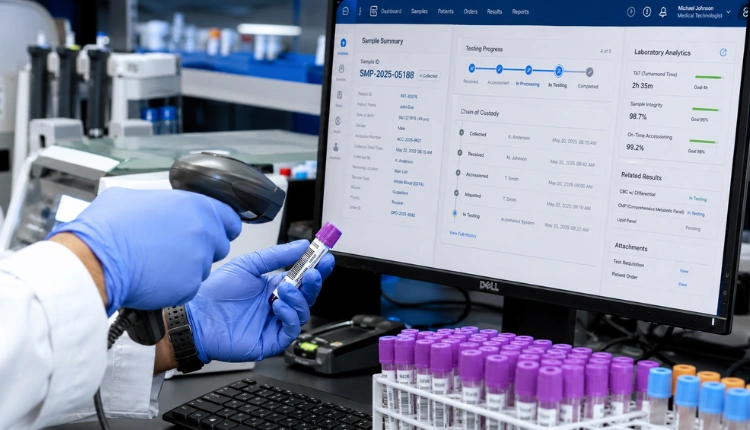

Book a free 20‑min demo → Choosing ai-powered ehr and clinical documentation isn’t just a tech decision, it’s how you cut note time, reduce denials, and keep clinicians sane. Across many switch systems, I’ve seen the same pattern.
Doctors hate typing, notes get backlogged, coding is slow, and claims bounce. Meanwhile, IT teams are five people on a good day. You need real relief fast, not a 12-month project.
What this guide covers
- How to evaluate ai-powered ehr and clinical documentation with real metrics, not slideware.
- What “AI‑native EHR” practically means for clinicians, coders, and billing — and why bolt‑ons underperform.
- Architecture patterns: FHIR resources, SNOMED/LOINC mappings, and complete provenance via AuditEvent.
- Governance and compliance guardrails for DPDP Act 2023 (India) and HIPAA-aligned controls elsewhere.
- A 7‑step evaluation you can run this week and a 21‑day pilot plan that proves end‑to‑end flow.
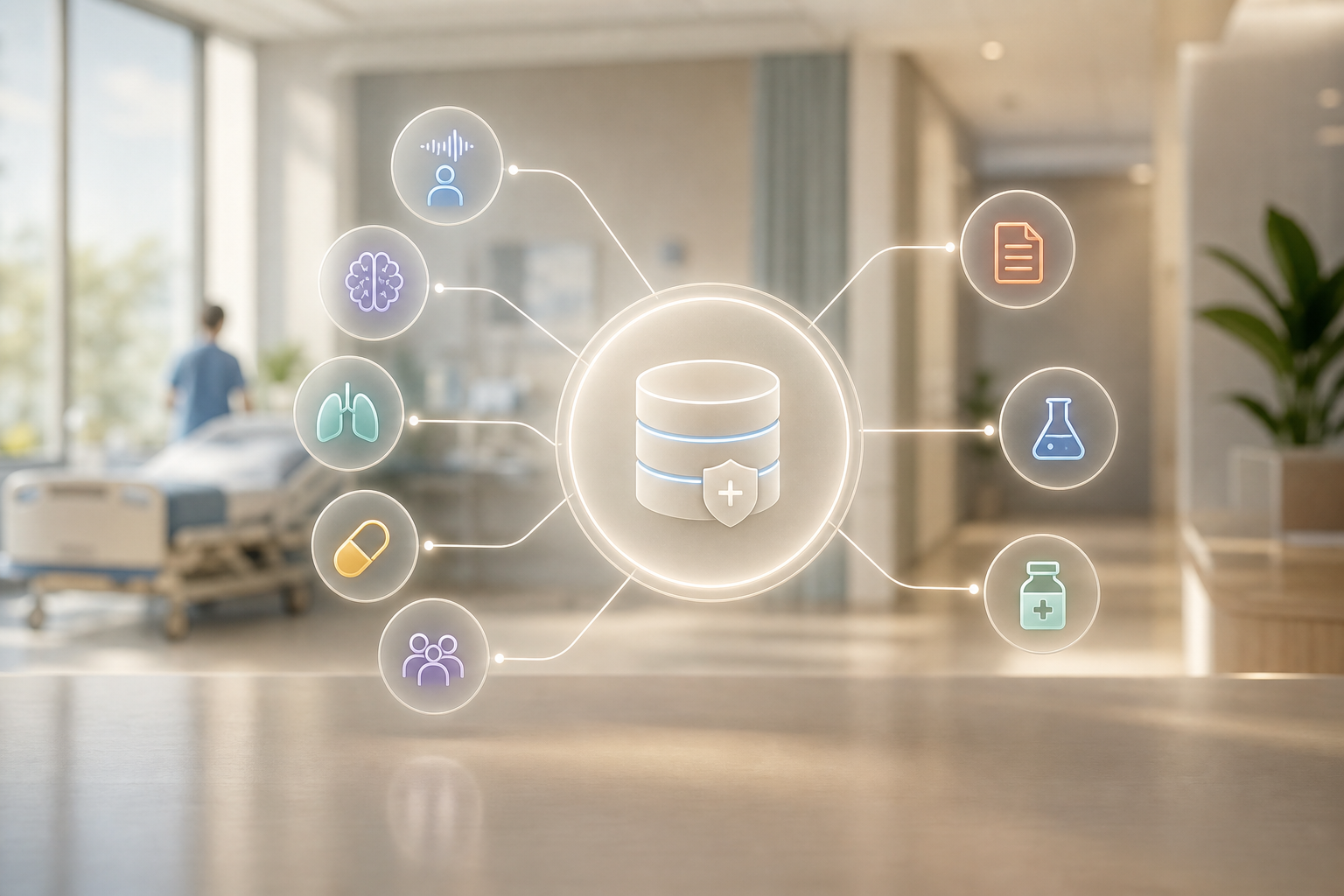
The right play is simple in theory and hard in practice: pick a unified system where AI lives inside the EHR, not a bolt-on. That’s how you turn ambient notes into structured fields, pre-fill ICD‑10 and CPT codes, draft radiology impressions, run drug checks, and handle triage across 8+ languages, all without copy‑paste. When AI is native to the EHR, every action, orders, charges, results, discharge summaries, stays in one audit trail, one database schema, and one user workflow. That’s the difference between “nice transcript” and “complete clinical and financial record, ready to submit”.
Embedding AI into the EHR core also changes your architecture choices. Event-driven data capture means the ambient scribe doesn’t just output free text; it fills FHIR resources (Observation, Condition, Procedure, MedicationRequest) and SNOMED‑anchored fields in real time. Guardrails and role-based permissions let doctors accept or edit AI suggestions with one click while preserving provenance: who said what, what the model suggested, who overrode it, and why. With this foundation, AI becomes a co-pilot that improves throughput, safety, and revenue rather than a sidecar you have to babysit.
Structured outputs you should see in real time:
-
Observation for vitals and measurements (LOINC where applicable) with units and device provenance. – Condition for problems/diagnoses normalized to SNOMED CT with ICD‑10 cross‑maps for billing. – Procedure for performed actions and CPT suggestions tied to specific encounters and notes. – MedicationRequest and MedicationStatement for orders and reconciliations, aligned to INN/ATC.
-
ServiceRequest and DiagnosticReport for lab and imaging with panels and reference ranges intact. – Provenance and AuditEvent entries for every AI suggestion, acceptance, override, and signer. – DocumentReference for transcripts, audio snippets, and attachments; Consent for capture policies.
To make the most of ai-powered ehr and clinical documentation, extend that foundation with clear data contracts and governance. Start by linking unstructured artifacts to structured outcomes in a traceable way: attach audio snippets and transcripts to a DocumentReference, then extract vitals and other measurements into Observation components with LOINC where applicable. Persist fine‑grained provenance using AuditEvent so you can always see the model version, the prompt template that was used, the latency of the response, and the identity of the human verifier for each accepted suggestion. Build on this with a single longitudinal patient timeline that unifies OPD and IPD encounters, lab panels, and medication administrations, so handoffs move faster and reconciliations are safer and easier to audit.
Retention and billing rules should also be unambiguous and policy‑driven rather than ad hoc. Offer configurable retention windows that treat audio/transcripts differently from structured fields, meeting medico‑legal requirements without bloating storage costs. Use deterministic, clearly documented rules for billing triggers, e. g., when a CPT is accepted and orders are signed, generate a draft Claim, and track reversals with explicit void or cancel actions that keep your record clean. When these pieces work together, governance stops being a burden and becomes a quiet strength that underwrites clinical, financial, and legal confidence.
Operationally, the hospitals that win with AI document a few simple metrics from day one: average time to close a note, percent of encounters coded at sign‑off, number of insurer queries per 100 claims, and first‑pass acceptance rate. When AI is native, those numbers move together because documentation, coding, and transactions share one source of truth.
What Mid-Size Hospitals Actually Need from an AI Clinical Documentation EHR
Mid-size hospitals live in the awkward middle. You manage IPD beds, OT schedules, lab, and pharmacy, yet you can’t staff a 30‑person build team or swallow per‑bed pricing that balloons each quarter. You need an AI‑native, single system of record that also acts and transacts, not a documentation gadget glued to a legacy charting screen. Your clinicians, nurses, coders, and front-desk teams need fewer clicks, fewer logins, and less hunting, not one more window to reconcile at the end of the day.
Core clinician experience
In plain terms, “AI clinical documentation” should feel like a working partner that understands clinical structure and downstream billing. The ambient SOAP scribe listens during the consult and drafts a structured Subjective, Objective, Assessment, and Plan while the clinician talks, so nothing relies on memory after the visit. Coding assistance should surface ICD‑10 diagnoses and CPT procedures right in context, turning the act of documentation into a first pass at the claim rather than a separate chore. Imaging support matters too: a radiology agent that drafts impressions with per‑finding confidence shortens dictation time and gives a transparent starting point for edits. Safety guardrails like drug‑interaction checks and allergy alerts should appear before sign‑off so clinicians correct issues while choices are still fresh.
Governance and standardization
Intake and governance cannot be afterthoughts in a multi‑language, multi‑department hospital. A multilingual triage agent that can converse in eight Indian languages and map free‑text complaints to SNOMED‑anchored symptoms reduces front‑desk friction and speeds clinical prioritization. Department leads should be able to standardize SOAP templates, order sets, and discharge summaries with version control that ensures everyone is on the latest approved content without emails or manual tracking. Most importantly, the system must treat structured data as the first-class citizen: notes should map to FHIR resources and standard terminologies (SNOMED CT, LOINC where applicable, and ATC/INN for medications) so information flows automatically to lab, pharmacy, and billing without re‑entry or copy‑paste errors.
Resilience, devices, and accessibility
Beyond the baseline, there are pragmatic capabilities that determine how well the system performs in the real world. Offline tolerance with local caching is essential for wards and clinics where connectivity drops, and conflict resolution on reconnection should be automatic and intelligible. Clinicians benefit from flexible microphone and device support, desktop, mobile, and hands‑free options, so they can dictate during rounds without changing their routine. Real‑time language switching helps when the clinician prefers English but the patient speaks in another language, keeping the permanent clinical record consistent while still honoring the patient’s voice. Finally, a clearly labeled “AI authored” marker in the interface, with one‑click revert and compare, makes medico‑legal review and peer coaching straightforward.
A day‑in‑the‑life example
For a concrete example, picture a 120‑bed general hospital. Doctors speak naturally during OPD consults while the AI drafts SOAP notes. Key vitals, problems, and allergies fill the EHR fields as you go. Front-desk triage captures chief complaints in the patient’s preferred language; the system translates, normalizes to SNOMED, and pre-populates differential diagnoses for the clinician to confirm.
At sign‑off, the visit already has suggested ICD‑10/CPT codes and a claim draft. The same record powers the lab order, pharmacy dispense, and discharge summary. No re‑entry, no toggling between five screens.
One pass from narrative to structured data to claim is the litmus test. If you still retype anything, the system isn’t truly AI‑native.
The OPD queue shows real‑time token status and highlights vulnerability flags (elderly, chronic comorbidities, high-risk meds). When a drug is prescribed, formulary checks and stock-on-hand appear inline, guiding substitutions before the order prints. If the patient is admitted, the same longitudinal record follows into IPD, with handoff notes and medication reconciliation auto-generated from the OPD encounter.
To push throughput even further, advanced sites layer simple automation on top of the same ai-powered ehr and clinical documentation stack:
- Outbound recall agents ping patients for follow‑ups and missed labs via WhatsApp and voice in the local language, writing outcomes back to the EHR.
- Nurse task lists auto‑generate from orders, with expected completion times and escalation rules, reducing manual tracking.
- Clinician dashboards surface “charts to close,” pending signatures, and claims awaiting a code confirmation, keeping work visible and moving.
Why this category is growing fast
Most facilities still juggle fragmented workflows, so the immediate gains from unifying documentation and transactions are substantial. A large segment of the market remains underserved by legacy systems tailored for corporate chains, leaving mid‑size hospitals to overpay for features they do not need or to struggle with tools that do not scale down. AI‑native platforms operate as system‑of‑record, system‑of‑action, and system‑of‑transaction simultaneously, so documentation triggers orders, bills, and follow‑ups without brittle handoffs. When coding suggestions start at the point of care, denial management improves because the narrative and the structured codes stay aligned from the outset.
Staffing constraints intensify the need for automation, especially when one nurse can close three charts in the time it used to take to close one by using ambient documentation and templated checklists. Standard APIs and national programs such as ABDM/ABHA in India nudge the ecosystem toward portable, interoperable data, and AI becomes the connective tissue that translates, normalizes, and synchronizes information across modules. With these forces converging, organizations that adopt a unified, AI‑first EHR see throughput and safety improve together instead of trading one for the other.
“We replaced three tools with one. Billing, pharmacy and lab now talk to each other without exports.” — Ravi Prasad, Administrator, Sunrise Clinic
The takeaway: pick a unified EHR where AI is first‑class. Bolted‑on scribes create another swivel chair, not a single source of truth for care, claims, and compliance. Include the ai-powered ehr and clinical documentation stack in your core EHR shortlist, not as an add‑on hunt after go‑live. Ensure the vendor demonstrates not just speech-to-text, but speech-to-structured-record that feeds orders, charges, and follow-ups in one pass.
A final note on change management: even the best system fails without simple, repeatable training. Choose vendors that offer role‑based quick starts, short videos, and on‑screen guidance for the first week. Rotate super‑users by department and collect daily feedback. The fastest ROI comes from pairing strong technology with disciplined adoption.
Also Read!
MedCore vs Practo for Mid-Size Hospitals: Which Is Better for AI Clinical Documentation EHR?
7-Step Framework for Evaluating AI EHR Systems at Your Hospital
You don’t need a 200‑page RFP. You need a week of sharp tests with real clinicians and data. Use this seven‑step path and insist the vendor proves each point. Treat each step as pass/fail with evidence: a screen recording, exported FHIR bundles, and time stamps.
Step 1: Map documentation bottlenecks
Audit a normal week. How many minutes per OPD consult go to notes? Where does data get re‑typed (triage → EMR, EMR → billing, EMR → lab)? Which departments still email CSVs? Write it down. Layer in specialty nuance: pediatrics vs. orthopedics vs. internal medicine will have different template needs. Count clicks for common tasks (prescribe, order, discharge) and note where users leave the EHR to finish work.
Tip: Shadow two clinicians end‑to‑end. Capture start/stop times for note drafting, signing, and coding. Record how many encounters remain open after hours.
To make Step 1 concrete, pull EHR audit logs for a random OPD day and:
- Count the number of field edits per encounter.
- Identify the top three screens users bounce between before signing.
- Flag every copy‑paste from external apps or PDFs.
A short, visual map (swimlane with timestamps) often reveals that small frictions, like hunting for templates or retyping vitals, consume more time than dictation itself.
Step 2: Define AI must‑haves vs. nice‑to‑haves
For most mid‑size hospitals, ambient scribe and coding assist are must‑haves. If you don’t run imaging onsite, radiology drafting is a later add. Drug‑interaction checks and multilingual triage reduce risk and front‑desk load, so keep them high on the list. Consider offline tolerance for poor connectivity, mobile dictation for ward rounds, and template locking for medico‑legal consistency.
Tip: Document user acceptance criteria. Example: “Ambient scribe reduces average OPD note time from 8 minutes to under 3 minutes with <5 edits per note.
Role‑by‑role criteria help you pressure‑test the fit before a pilot. Clinicians should get hands‑free capture that shortens the time from encounter to sign‑off, alongside reliable allergy and interaction guardrails that surface before orders are placed. Nurses need simple device connections for vital‑sign imports, clear task lists that derive from orders without double entry, and a workflow that cuts down on room‑to‑room rummaging for the right screen.
Coders and billing teams require structured codes at sign‑off, automatic claim drafts that respect payer rules, and exception handling that doesn’t devolve into retyping what the clinician already captured. Admin and IT staff benefit from self‑serve configuration, consistent auditability, and the right to export data at will. Finally, look beyond SOAP to ensure the system can store social determinants, fall‑risk assessments, and care plans in structured form where it matters.
Step 3: Check interoperability standards
Insist on FHIR R4 and HL7 v2 support. That’s how your EHR talks to existing lab machines, pharmacy systems, and national networks like ABDM/ABHA. If your team wants a refresher, see Fast Healthcare Interoperability Resources (FHIR) for the baseline model of resources and APIs. Ask for a sample FHIR bundle export (Patient, Encounter, Observation, Condition, Procedure, MedicationRequest) from the pilot and validate it in your own tools.
Tip: Verify inbound and outbound flows: can the vendor ingest legacy data (CSV/HL7) and write back in standard formats without custom one‑offs? Confirm master data mapping (units, LOINC codes, drug dictionaries) up front.
Go deeper than a checkbox by confirming how each data flow actually behaves. For financial interactions, make sure Coverage, Claim, ClaimResponse, and ExplanationOfBenefit resources are implemented in a way your billing team can reconcile. For orders and results, look at ServiceRequest, DiagnosticReport, and Observation panels with correct coding and panel structures so lab results are queryable and comparable over time. On people and authorization, verify that Practitioner, PractitionerRole, and Organization are modeled correctly and that OAuth2 scopes map cleanly to your intended roles. Finally, check DocumentReference for transcripts and that Provenance and AuditEvent entries capture AI suggestions and human acceptances so your audit trail is complete.
Step 4: Evaluate the pricing model
Per‑bed or per‑user pricing punishes growth in OPD and staff. Prefer flat per‑month pricing that covers all users. Confirm that billing, lab, and pharmacy share a single tenant‑scoped state so you don’t end up paying three times for one patient journey. Clarify what’s included: speech hours, model upgrades, storage, SMS/WhatsApp usage, and support tiers.
Tip: Run a 12‑ and 24‑month TCO with realistic OPD growth, new hires, and storage expansion. Ask for a price lock and a written SLA on uptime and response times.
Interrogate the fine print rather than leaving it for procurement to chase later. Ask whether “AI features” are marked as add‑ons that can escalate at renewal, and whether there is a ceiling on monthly transcription hours that would throttle your busiest days. Confirm that exports. FHIR or CSV, are self‑service, complete, and free at any time, so you never feel trapped. Finally, watch for pilot discounts that are coupled to long‑term commitments; flat pricing only works if it stays flat when your OPD increases by 30% or you add a new specialty.
Step 5: Test the onboarding timeline
You can’t wait 12 months. Look for a self‑serve onboarding wizard that brings you live in days to weeks. Ask to stand up a sandbox in under 24 hours and import a small OPD dataset the same day. Ensure user provisioning integrates with your identity policy (unique logins, role-based access, MFA if required), and that training materials are role‑specific (OPD clinician, nurse, coder, billing, pharmacy).
Tip: Time the vendor. From data upload to first successful ambient SOAP note with codes suggested, how long did it actually take?
Plan for a crisp cutover:
- Day 0: Confirm microphones, network stability, and device availability in each consult room.
- Day 1: Import master data (clinics, departments, providers, inventories).
- Day 2: Train super‑users and run mock consults with realistic background noise.
- Day 3+: Shadow live consults and fix templates quickly.
If this cadence slips significantly, ask why and whether the vendor can staff more onboarding support.
Step 6: Verify compliance and residency
For India, DPDP Act 2023 compliance and India data residency are non‑negotiable. For global sites, check HIPAA alignment. Confirm audit trails, named AI agents with one‑click hand‑off, and rollback for LLM prompts. Ask about PHI minimization, encryption at rest and in transit, model isolation (no training on your data unless explicitly contracted), and breach notification timelines.
Tip: Request a sample audit log showing: user action, AI suggestion, acceptance/override, timestamp, and patient context. Make sure access to logs is role-restricted.
A few additional checks can cut risk dramatically. Look for formal security attestations such as ISO 27001 or SOC 2 Type II backed by a documented secure SDLC, not just a slide. Require role‑based masking for sensitive fields (e. g., HIV status) and a patient consent user experience that is visible and easy to explain at the point of care.
Expect clear model versioning with rollback and a change log that your clinical governance team can review on demand. Ask for a written DPDP data processing agreement, a demonstrable workflow for data subject rights, and concrete evidence of India data residency. Lastly, ensure every AI decision path is logged to immutable storage so you have defensible proof in a medico‑legal context.
Step 7: Run a real pilot
Have 3–5 doctors use the ambient scribe for a week. Measure note completion time, coding accuracy, and user satisfaction. Include pharmacy and billing in the test so you see end‑to‑end flow, not just pretty notes. Treat this as your ai-powered ehr and clinical documentation proof, not a sales demo. Get explicit consent from patients for ambient capture during the pilot and display a visible indicator when recording is active.
Tip: Define success before you start (e. g., “>30% reduction in average note time, >95% coding precision/recall on top‑20 ICD‑10 codes, <2 support tickets per clinician in week 1”).
Instrument the pilot with simple, verifiable metrics so your conclusions are objective. Track baseline versus pilot average time to sign a note by specialty, and calculate the percentage of visits with complete codes at sign‑off. Monitor first‑pass claim acceptance alongside insurer query rates to see whether documentation quality is actually reducing rework. Also record how often clinicians override AI suggestions and, where possible, capture the reasons; that feedback drives prompt and template improvements. Finally, run one or two adverse‑event drills, such as a drug‑drug interaction, to validate the alert path, how the override is documented, and whether the end‑to‑end record supports clinical reasoning.
Your simple scorecard (copy this)
| Criteria | Weight | Vendor A | Vendor B | Notes |
|---|---|---|---|---|
| Ambient SOAP scribe quality | 20% | |||
| ICD‑10/CPT auto‑suggest + claim auto‑draft | 15% | |||
| FHIR R4 + HL7 v2 interoperability | 15% | |||
| Pricing model (flat/month, no per‑bed) | 15% | |||
| Onboarding speed (live in days) | 10% | |||
| DPDP + India residency + audit trail | 15% | |||
| Shared state across billing/lab/pharmacy | 10% |
A good practice is to run the scorecard twice, once after the demo and again after the pilot, so estimates don’t get mixed with hard results. Weightings can shift by specialty; if radiology is core, move 5% from pricing to imaging assistance quality. Keep a short narrative for each criterion: what worked, where friction showed up, and what the vendor promised to fix.

See flat pricing today →. Each group records a mock consult or triage. In practice, you can schedule a tight 21‑day cadence that builds momentum without overwhelming staff. Days 3–5 are for live shadowing of OPD sessions, where one super‑user supports every two clinicians to keep edits moving and nerves down.
Pilot cadence at a glance
- Goals snapshot: prove note‑time reduction, code completeness at sign‑off, and clean first‑pass claims.
- Scope: OPD consults first, then pharmacy/billing dry‑runs, then lab/imaging, finally a limited go‑live.
- Safety: visible recording indicator, scripted DDI alert drill, and a clear manual fallback path.
Days 6–7 shift attention to billing and pharmacy with dry‑runs pulled from the same sample visits, including pre‑authorization and claim auto‑draft so the financial thread is proven as part of the flow. Days 8–9 cover radiology and lab drafting, ensuring the sign‑off path is clear and results can be acknowledged from the same encounter. On Day 10, review pilot metrics, note time and claim completeness, then tune prompts and templates immediately so improvements land before go‑live.
Days 11–12 mark a limited go‑live on a single OPD block, with a well‑communicated backup manual path if anything falters. Days 13–14 emphasize daily stand‑ups to capture issues and push quick fixes, maintaining confidence on the floor. Day 15 is a structured retrospective with clinicians, nursing, billing, and admin, culminating in a formal go/no‑go decision for scale‑up based on the metrics you set before starting. Days 16–21 expand the footprint to additional OPD blocks or one IPD ward, with super‑users embedded during peak hours so adoption doesn’t slip. By laying out this sequence before you begin and sticking to it, your pilot teaches you what you need to know without dragging on for months.
To make that plan actionable, rewrite it as a punch list your team can follow:
-
Prep: Verify microphones in each room, allowlist vendor URLs on the network, and test audio quality during peak noise hours. – Day 1–2: Mock consults by specialty; confirm that templates and order sets reflect your standard of care. – Day 3–5: Live shadowing; capture edit counts per note and time to sign off. – Day 6–7: Accounting and billing dry‑runs; confirm that draft claims contain required payer fields and attach summaries.
-
Day 8–9: Validate lab and imaging results routing back to the same encounter; ensure result acknowledgment is captured. – Day 10–12: Tighten prompts, fix templates, and retrain where needed; prepare the OPD block go‑live with a fallback plan. – Day 13–21: Stabilize, then scale gradually with daily 10‑minute stand‑ups and a shared issue tracker.
Remember, the ai-powered ehr and clinical documentation win is only real if front‑line teams can use it under pressure. Train the workflows you expect on Monday morning, not just the features you saw on Thursday’s demo. Keep cheat sheets at stations, and schedule a 10‑minute daily huddle during the first two weeks.
Also Read!
How to Choose an AI Clinical Documentation EHR for Medical Tourism Hospitals in India
How to Choose an AI Clinical Documentation EHR for Multi-Specialty Hospital Chains
Tools and Platforms Worth Evaluating in 2026
You have three practical paths. Pick based on your current stack, budget, and how fast you need to go live. No single tool is “the winner” for every hospital. Anchor your choice to live proof of end‑to‑end flow and a contract that won’t surprise you at renewal.
A) Full‑suite AI‑native EHRs built for non‑enterprise hospitals
Tools like MedCore bundle an AI‑native unified EHR with integrated workflows: ambient SOAP scribe, multilingual triage (8 Indian languages), claims auto‑draft, and a single tenant‑scoped record across billing, lab, and pharmacy. Pricing for mid‑size hospitals starts at ₹24,999/mo with flat per‑month plans (no per‑bed or per‑user fees), plus a self‑serve onboarding wizard to go live in days. Hosting can be on‑premise or on a dedicated cloud, with DPDP Act 2023 compliance, India data residency, and ABDM/ABHA linking.
Additional considerations for this path:
- Ask about offline note capture for wards and outlying clinics.
- Confirm templating governance and how updates propagate across departments.
- Validate real‑time OPD queue, token displays, and integrated payment collection.
- Ensure you can export your data (FHIR/CSV) without penalties if you ever leave.
For full‑suite platforms, also evaluate:
- How multilingual intake normalizes to SNOMED while preserving original phrasing in the audit log.
- Whether the AI models can run in a dedicated VPC or on‑prem GPUs if your policy requires strict data boundaries.
- Pharmacy and formulary controls, including substitution rules and automatic stock decrements at dispense.
- Built‑in analytics for throughput, denials, and clinician workload, not just raw exports.
B) Enterprise EHRs with AI add‑ons
Epic and Oracle Health/Cerner offer strong AI features, including ambient listening. They shine in large systems with deep budgets, complex governance, and long project plans. Trade‑offs for mid‑size sites include higher cost, multi‑month implementations, and AI that may feel like an add‑on rather than the core EHR brain.
What to probe:
- Scope the build: which AI features require separate licensing or third‑party contracts?
- Clarify change control—how quickly can you adjust templates, order sets, or prompts?
- Get a clear view of the integration work to keep billing and pharmacy in lockstep with documentation.
Also check:
- Whether the AI add‑ons write back structured data to core EHR fields (problems, meds, orders) or only create narrative notes.
- The ticket queue for configuration changes—how long do simple template edits take?
- Integration engine complexity (e. g., Cloverleaf, Rhapsody) and whether you’ll need new interface maintenance skills in‑house.
C) Standalone AI scribes that integrate with an existing EHR
Nuance DAX Copilot (Microsoft) and Suki AI give excellent dictation and ambient notes. If you already love your EHR and only need the documentation layer, they can fit well. The main risk is swivel‑chair: when documentation lives outside the EHR, coding, orders, and claims may still need manual steps unless integrations are deep.
What to validate:
- Does the scribe post structured data back into your EHR (problems, meds, orders), or just free text?
- How do you reconcile AI notes with billing events—are coders retyping, or is there a rules engine?
- Can the scribe honor department templates and maintain consistent terminology use?
For standalone scribes, ask to see:
- HL7 v2 ORU/MDM messages or FHIR write‑backs landing in the right encounter with correct provenance.
- Latency and accuracy under clinic noise; test with a speakerphone playing hallway chatter.
- The process for coding and claim generation—who “owns” the final codes when the note originates outside the EHR?
| Approach | AI Built‑In? | Cost Model | Time to Go Live | Interoperability Focus |
|---|---|---|---|---|
| Full‑suite AI‑native EHR | Yes | Flat per‑month | Days–weeks | FHIR R4 + HL7 v2 |
| Enterprise EHR + add‑on | Add‑on | Enterprise contracts | Months | Broad, but complex |
| Standalone scribe | External | Per‑user | Days | Depends on EHR links |
Whichever lane you choose, ask to see the ai-powered ehr and clinical documentation flow end‑to‑end: a live consult turning into a coded claim, a lab order, and a signed prescription without re‑entry. Press vendors to show an adverse‑event scenario too (e. g., drug‑drug interaction flag) and how the system documents the alert, the clinician decision, and the ultimate outcome. That’s where safety and medico‑legal value show up.
Common pitfalls to avoid regardless of approach:
- Treating AI notes as “nice to have” without connecting them to codes, orders, and billing events.
- Accepting black‑box models without clear audit trails for who accepted which suggestion and when.
- Underestimating training—10 minutes of daily huddles in week one prevents months of backsliding.
- Forgetting export rights; you should always be able to take your structured data with you.
What to Do This Week: Your AI EHR Evaluation Kickstart
You don’t need a task force to start. Block one hour a day for five days and get real data.
- Day 1: Pull documentation time data. Ask five physicians how many minutes they spend per OPD note and how many open encounters they carry home.
- Day 2: Map systems. List billing, pharmacy, lab, and scheduling. Note which pairs don’t talk. If you see exports and spreadsheets, mark them red.
- Day 3: Build your shortlist. Use the 7‑step scorecard to pick 2–3 vendors across the categories above. Include at least one AI‑native full‑suite.
- Day 4: See it live. Request demos that show ambient scribe in your primary patient language and a full pass to coding and claim auto‑draft. If you handle 150+ OPD patients per day, ask to see real‑time OPD queue with token displays and vulnerability flags.
- Day 5: Decide with a small team. Form a 3‑person committee (one clinician, one IT lead, one finance/admin). Hold a 30‑minute debrief after each demo. Ask about an Outbound Follow‑up Agent for recalls on voice and WhatsApp.
Add-on tips:
- Bring two de‑identified sample cases (simple and complex) and make every vendor run them end‑to‑end.
- Ask for a sandbox login and try dictating from your own clinic room to check audio quality, latency, and background noise handling.
- Draft a one‑page pilot plan with success metrics, responsible owners, and go/no‑go criteria before the first demo.
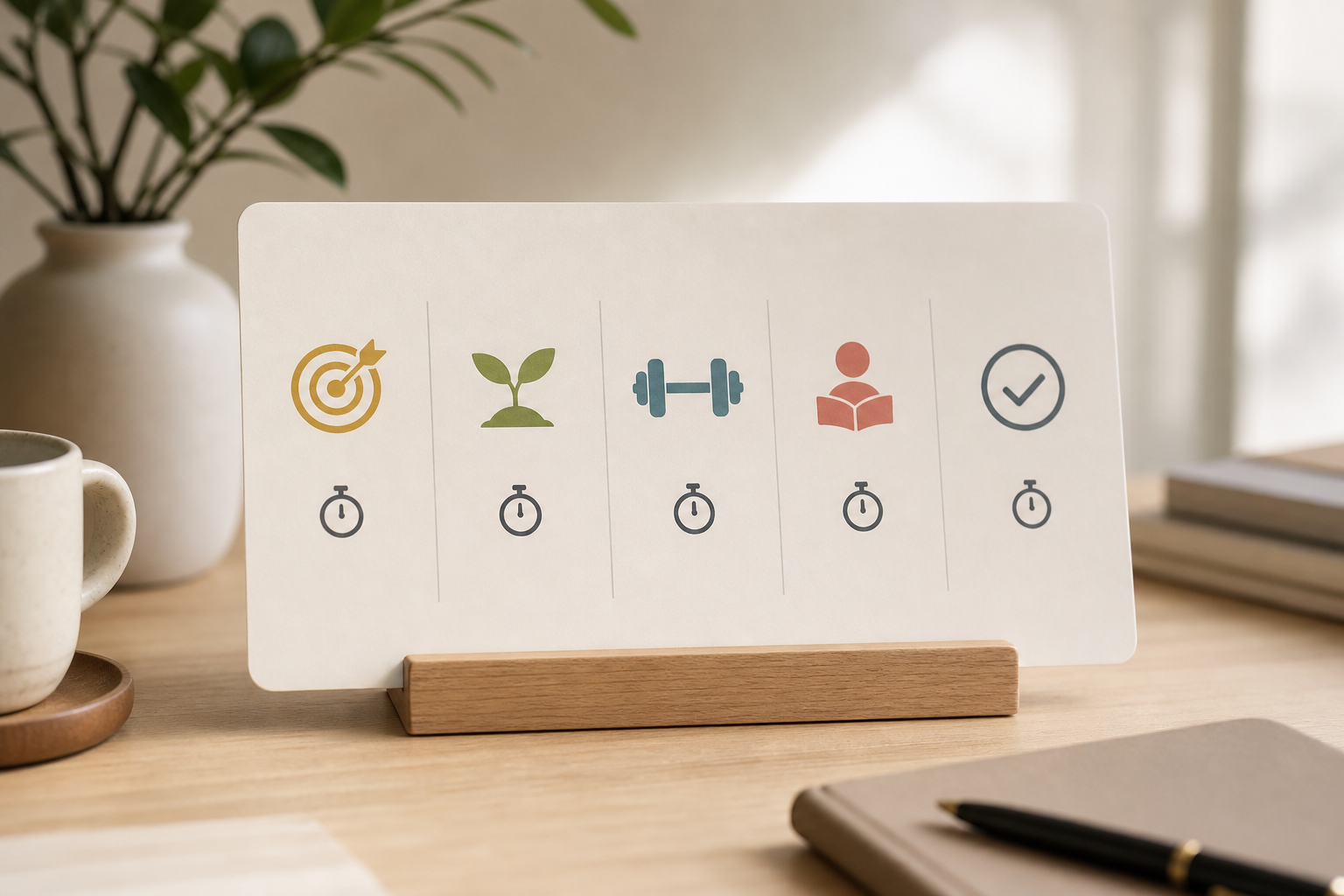 , system map, scorecard, live demo, and committee debrief)
Your goal isn’t to find the “best” software on paper. It’s to pick the ai-powered ehr and clinical documentation system that fits your hospital’s scale and budget today and grows with you tomorrow. The right choice should make your next audit easier, your claims cleaner, and your Monday mornings calmer.
**Schedule a pilot this week →
Key Takeaways
- Unify first. AI belongs inside your EHR so notes, orders, and claims share one record and one audit trail.
- Demand standards. FHIR R4 and HL7 v2 keep you connected to labs, pharmacy, and ABDM/ABHA.
- Price for growth. Flat, per‑month pricing avoids per‑bed and per‑user traps as OPD expands.
- Prove it fast. A 3–5 doctor pilot in a week tells you more than a 50‑slide deck.
- Train the floor. A short, role‑based plan beats a long kickoff. Adoption lives or dies with nurses and front‑desk staff.
Security and compliance aren’t extras. DPDP Act 2023 compliance, India data residency, and clear audit trails reduce risk from day one. And if you want to see flat pricing and a go‑live measured in days, tools like MedCore are worth a look, alongside enterprise add‑ons and standalone scribes, as you run this 2026 evaluation. Budget time for data migration and template setup, and insist on export rights so your data remains portable.
As you finalize your choice, document three agreements explicitly:
- Clinical governance: who approves templates, prompts, and order sets, and how quickly changes can ship.
- Data and AI policy: what data is used for model improvement, where it is stored, and how you roll back if a model update regresses quality.
- Exit and portability: self‑serve FHIR/CSV exports, claim to specific uptime SLAs, and transparent support response times.
Finally, build a light continuous‑improvement loop: review weekly note timing, code completeness, and denial trends; adjust templates and prompts; and celebrate small wins on the ward. That is how ai-powered ehr and clinical documentation moves from “pilot” to a durable operating advantage for mid‑size hospitals.