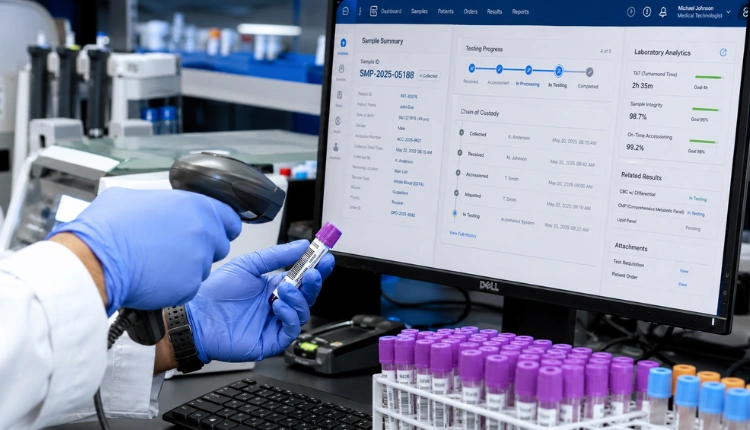
Eight in ten facilities still juggle fragmented workflows across billing, lab, and pharmacy (Source: MedCore, 2026). This guide shows how to choose ehr your way in 2026 so your system fits you, not the other way round. The fastest path is simple: pick an EHR that bends to your workflow, not your workflow to the software. Map your current steps, set non‑negotiables, insist on FHIR/HL7, demand fast onboarding, and pick a pricing model that won’t punish growth.
If you’ve ever trained a nurse twice on the same screen or chased missing orders between modules, you know the real tax of rigid systems. You lose minutes per task, which becomes hours per week, and months per year. Moreover, staff morale drops when tools fight them at every turn. As a peer who has sat through dozens of go‑lives, I can tell you: adoption is the true success metric. Configure right, and your team says, “This helps.” Configure wrong, and they create workarounds by day two.
In 2026, most mid‑sized hospitals and clinics fall into the 75% of the market underserved by one‑size‑fits‑all tech (Source: MedCore). That gap is your edge. Therefore, the question isn’t “Which EHR is best?” It’s “Which EHR will match my flow with the least change pain and the fastest time to value?
What Does 'EHR Your Way' Actually Mean?
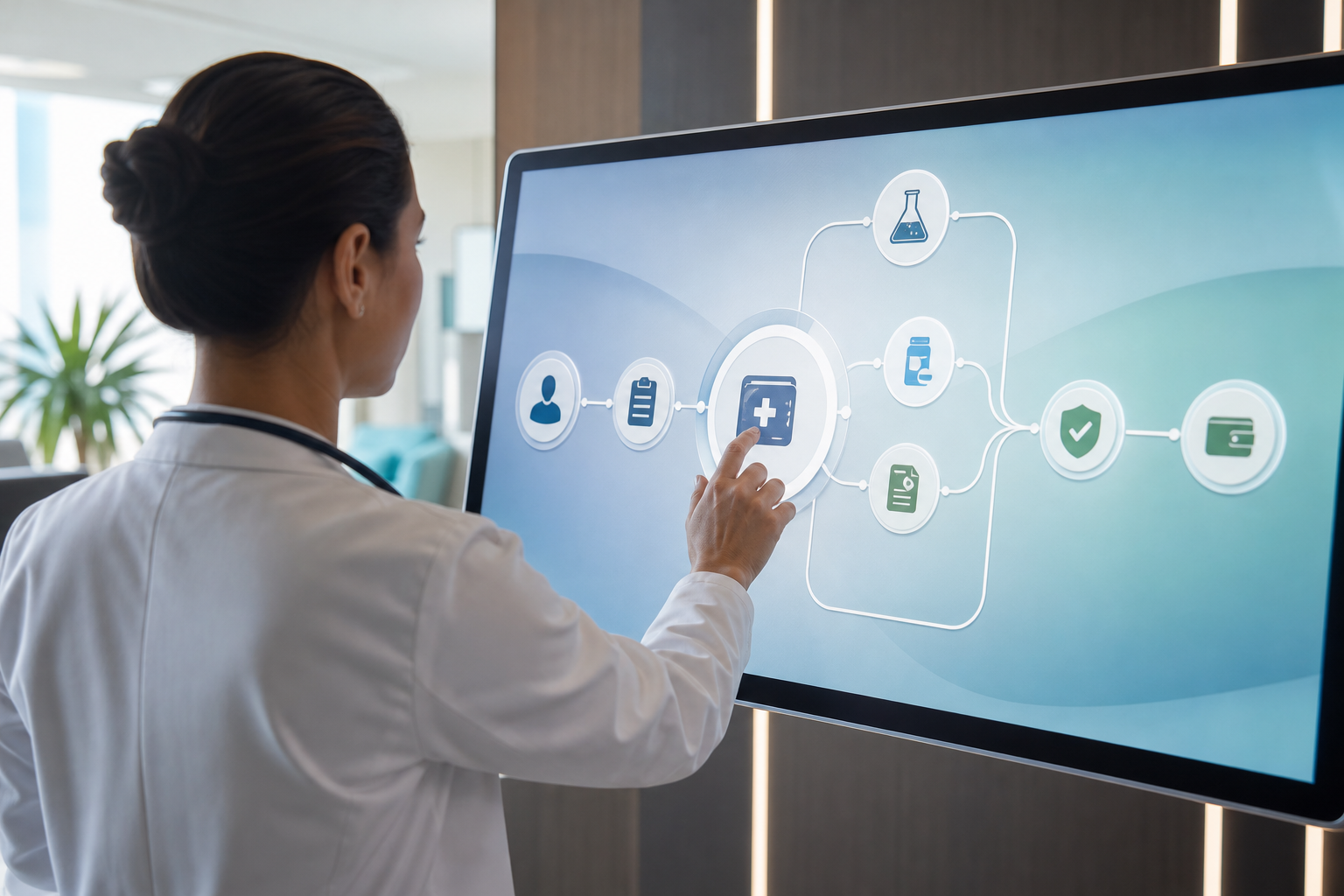
An EHR “your way” is one that adapts to your intake, triage, consult, orders, billing, and discharge patterns without forcing you into a rigid template. It lets you change fields, forms, and flows per department or specialty. It links billing, lab, and pharmacy into one record so your orders and charges share the same patient state. As a result, your staff spends less time re‑entering data and more time on patients.
On the other hand, legacy tools were built as static modules with minimal cross‑talk. They feel like five different apps stitched together. That’s why 80% of facilities still run on fragmented workflows (Source: MedCore). In contrast, modern, configurable systems treat the EHR as a single, shared source of truth and allow role‑based views for doctors, nurses, and admins.
Moreover, configurability isn’t guesswork. It should reflect how care is actually delivered. Systems designed with real‑world input from clinicians and administrators tend to fit better on day one. For example, platforms with 45 modules developed with the input of doctors, nurses, and administrators make common tasks faster because the screens mirror real work rather than an engineer’s idea of it (Source: MedCore).
Finally, this matters for adoption. If your EHR matches your clinic’s rhythm, staff will engage, training time drops, and patients feel the difference at the front desk and in the OPD line. If it doesn’t, your team will invent side spreadsheets by week two.
Legacy vs. Configurable EHR: The Practical Difference
- Legacy: fixed forms, siloed modules, heavy vendor changes for small tweaks.
- Configurable: editable fields and flows, unified record across services, admin‑level switches.
- Result: configurable systems cut clicks, reduce rework, and help new hires get productive faster.
“Fit beats features. If your EHR mirrors your flow, you win. If not, you’ll train forever.”
And yes, your target is to choose ehr your way so your EHR bends without tearing your process apart.
5 Steps to Building an EHR That Fits Your Practice
To choose ehr your way, run this sequence. Follow the steps in order. Skipping one adds risk later.
-
Audit current workflows
List your actual steps from patient arrival to discharge. Walk a chart through intake, triage, consult, orders, pharmacy, and billing. Note every handoff and extra click. Specifically, capture what “good” looks like per role: doctor, nurse, lab, pharmacy, billing, IT, and admin. This audit is your map and your test script. -
List non‑negotiable features
Write 10 must‑haves that protect your care model and revenue. Examples: OPD token queue, digital prescriptions with QR, discharge summaries, controlled substance tracking, and multi‑branch analytics. In addition, include compliance musts like DPDP Act 2023 alignment and ABDM/ABHA linking where relevant (see the Government of India’s Ayushman Bharat Digital Mission at ABDM official site). -
Evaluate interoperability (FHIR/HL7)
Insist on FHIR R4 and HL7 v2 support so you can exchange orders, results, and meds without custom one‑offs. For a quick refresher, read the standard at Fast Healthcare Interoperability Resources (FHIR). Therefore, ask vendors to show a live inbound HL7 v2 lab feed and a FHIR MedicationRequest from the EHR in a screen share. No slides, a live demo or it doesn’t count. -
Test onboarding speed
Time‑to‑value is a real cost. Ask for a self‑serve onboarding wizard and aim to be live in days, not months. Furthermore, run a 48‑hour pilot with five users and one clinic room. Measure clicks per task, error rate, and how many times staff asks for help. If you can’t safely migrate a small slice fast, scaling will be hard. -
Compare pricing models (per‑user vs flat)
Per‑user and per‑bed fees punish growth. Flat per‑month pricing without per‑bed or per‑user fees keeps costs predictable as you hire. Build a two‑year model with headcount growth so you see the curve. In addition, confirm what’s included: support, WhatsApp reminders (DLT), GST‑aware billing, and SLAs. By 2026, flat, transparent pricing is the safer bet for mid‑sized facilities.

Interop And Compliance Checklist
- Ask for FHIR R4 and an HL7 v2 inbound demo on a real patient.
- Confirm DPDP Act 2023 compliance and India data residency (where required).
- Verify ABDM/ABHA linking in a sandbox with a test ID.
- Get a signed statement of support scope and SLAs.
If a vendor can’t check these boxes, it’s not ready to support how you choose ehr your way.
Also Read!
How to Choose an AI Clinical Documentation EHR for Your Small Clinic in India
How to Choose an AI Clinical Documentation EHR for Mid-Size Hospitals
Common Mistakes When Choosing a Customizable EHR
First, chasing features over fit. A long brochure doesn’t mean the tool will match your process. Start with your workflow audit and test daily tasks. Therefore, pick the system that makes your top 20 actions faster, not the one with the most pages in a PDF.
Second, ignoring interoperability. Without FHIR R4 and HL7 v2, you’ll end up re‑keying data or paying for brittle one‑offs. Moreover, ask for a real lab result to flow into the chart during the demo. No standard, no deal.
Third, underestimating training time. A good UI cuts training to hours, not weeks. As a result, look for role‑based views and quick guides your staff can learn in one shift. If you need a 200‑page manual, that’s a warning sign.
Fourth, choosing per‑user pricing that scales badly. Per‑user seems cheap on day one but spikes when you add junior staff, residents, or new branches. Flat per‑month pricing is safer for growth.
Fifth, neglecting compliance and unified records. A single tenant‑scoped EHR with shared state across billing, lab, and pharmacy prevents mismatched orders and lost charges (Source: MedCore). In addition, confirm DPDP Act 2023 alignment early. If you plan to link with ABDM/ABHA, verify it in a sandbox.
- Pitfall radar
- No FHIR/HL7 demo = data silos ahead.
- Per‑user fees = budget creep by Q3.
- Siloed modules = rework and staff burnout.
- No quickstart wizard = slow go‑live and poor adoption.
Place a simple guardrail on your process: if a product can’t show your top five workflows end‑to‑end in under 30 minutes, it’s not how you choose ehr your way.
**See flat pricing, no per-user →
Tools and Platforms That Support Flexible EHR Workflows
There are three broad paths. Open‑source options like OpenMRS and OpenEMR give you high flexibility and no license fees, but you’ll need in‑house IT to host, patch, and tailor them. Large‑scale platforms such as Epic and Cerner are built for vast hospital networks with complex needs and strong vendor services. Newer AI‑native systems focus on mid‑sized hospitals and clinics and offer streamlined setup with modern features.
Tools like MedCore combine an AI‑native approach with integrated workflows and a unified EHR. For small clinics, pricing starts from ₹9,999/month, and for mid‑size hospitals, from ₹24,999/month (Source: MedCore). In addition, there are 55+ modules, a branded Android/iOS patient app, flat per‑month pricing, FHIR R4 and HL7 v2 support, and a self‑serve onboarding wizard so you can be live in days. Security and compliance include DPDP Act 2023 alignment and ABDM/ABHA linking for Indian deployments.
“Our OPD wait time dropped from 40 minutes to 12. The live token display alone was worth the switch.” — Dr. Meera Rao, Medical Director, Asha Hospital
Picking The Right Fit
- Open‑source: flexible, budget‑friendly, higher IT lift.
- Enterprise suites: deep feature sets, high services cost, suited to large networks.
- AI‑native mid‑market: fast setup, unified record, flat pricing for growing clinics and hospitals.

If your goal is to choose ehr your way, lean toward platforms that unify billing‑lab‑pharmacy and let you switch on modules as you grow.
What to Do Next: Making Your EHR Work for You
Start with a one‑week workflow audit. Map five high‑volume routes: new OPD visit, follow‑up, lab order/result, pharmacy dispense, and discharge. Then, bring three frontline staff into every vendor call, one doctor, one nurse, and one admin. Their feedback will surface real blockers fast.
Next, request a sandbox trial. Ask vendors for seed data and a test patient so you can write a digital prescription with QR, route a lab order, receive a result, and post a GST‑aware bill. Moreover, run the OPD queue with live tokens for one shift and measure wait times. One MedCore site reported a drop from 40 minutes to 12 (Source: MedCore), which shows what to look for in your own tests.
Finally, prefer unified tools that can replace three separate systems, billing, lab, and pharmacy, with one shared record. As a result, you’ll reduce errors and speed up handoffs. If there’s a self‑serve onboarding wizard, try it. If you can’t get value in days, you’ll fight for months.
- One‑Week Action Plan
- Day 1–2: Audit and define 10 must‑haves.
- Day 3–4: Sandbox trial with frontline staff.
- Day 5: Interop demo (FHIR/HL7) and compliance check.
- Day 6–7: Cost model (flat vs per‑user) and decision draft.
To truly choose ehr your way, tie your decision to measured gains: fewer clicks, faster queues, cleaner claims.

Key Takeaways
- Fit beats features: audit your real steps, then pick the tool that makes the top 20 tasks faster.
- Insist on standards: require FHIR R4 and HL7 v2 with a live demo, not a slide.
- Speed matters: self‑serve onboarding and flat pricing reduce risk and cost in 2026.
- Unify the record: billing, lab, and pharmacy should share the same patient state.
- Test with staff: involve a doctor, nurse, and admin in every evaluation.
What to Do This Week
Block five hours. Map your OPD flow and write 10 non‑negotiables. Shortlist two vendors that support FHIR R4 and HL7 v2, DPDP Act 2023 alignment, and ABDM/ABHA linking. Then run a sandbox trial with your frontline team and track clicks, errors, and OPD wait time. Pick the system that lets you choose ehr your way, the one your staff wants to use on day two.